How to Fix GB WhatsApp Common Problems
How to Fix GB WhatsApp Common Fixes
WhatsApp is a popular app that millions of people use daily for communication. Its popularity has led to the rise of modified versions like GB WhatsApp, which has gained millions of users worldwide.
These modified apps provide extra features, such as more customization options, better privacy settings, and unique functions that you won’t find in the official WhatsApp. Because of these added features, many users are excited about GB WhatsApp and recommend it to their friends and family. However, using these extra features can cause problems that disrupt the user experience.
This post will examine the most common GB WhatsApp problems, including temporary and permanent ban issues, installation errors and glitches, and performance issues. We will also share practical solutions to help you fix them. Read on to learn how to troubleshoot and improve your GB WhatsApp app for a better experience.
Temporary or Permanent Account Bans
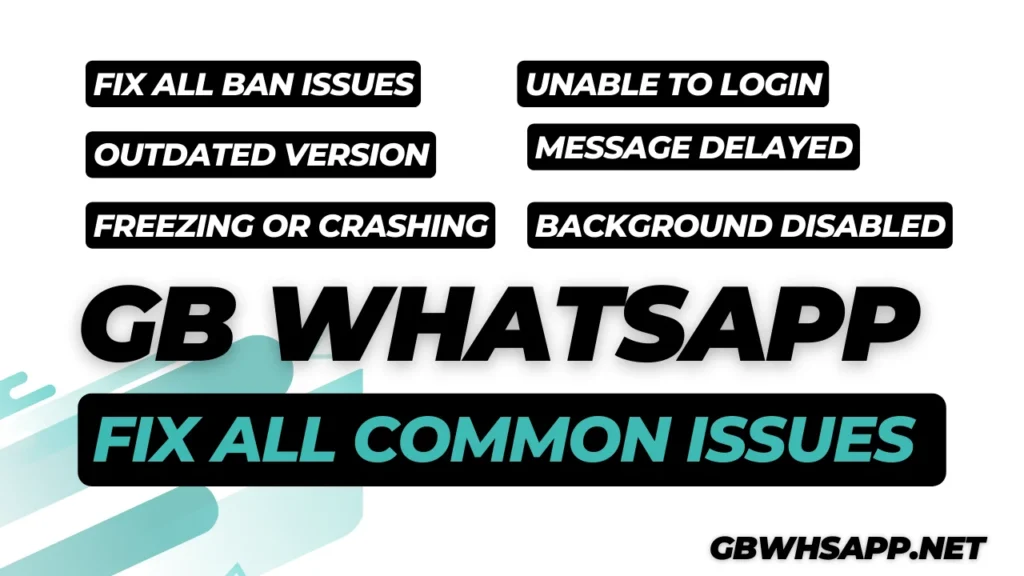
GB WhatsApp ban issues are due to changes in WhatsApp policy. GB WhatsApp is an unofficial app developed by third parties. Meta Inc (WhatsApp) does not endorse it, so GB WhatsApp users sometimes face temporary ban issues. To solve this, try:
- Uninstall GB WhatsApp for one day.
- Download and install official WhatsApp from the official store.
- Register your account on it.
- If banned, wait for the temporary ban to lift (usually 24-48 hours) and migrate to the official app.
- If the ban continues, you can contact WhatsApp official support to request the ban to be lifted (usually takes 1-7 days).
Delayed or Failed Message Sending/Receiving
Sometimes, users may face issues like messages not being sent or received or experiencing long delivery delays. These problems can disrupt personal and professional communication and may point to underlying technical or network issues. To solve this problem, you can follow these steps below:
- Check your internet connection (Wi-Fi or mobile data) and make sure it’s stable.
- Clear the app cache (Settings > Apps > GB WhatsApp > Storage > Clear Cache).
- Update GB WhatsApp to the latest version 18.80 from GBWhsapp.net.
- Restart the app or device to refresh the connection.
Fix Outdated App Version
Using outdated versions of GB WhatsApp can cause bugs, performance issues, and compatibility problems with newer updates. You have to update GB WhatsApp to avoid these issues.
- Backup your chats.
- Uninstall old version.
- Install latest version 18.80 from GBWhsapp.net.
- Login your account.
- Restore your chats.
Unable to Log In
Users face issues logging into GB WhatsApp due to verification or server problems. To fix this problem follow given steps:
- Verify your phone number and make sure the correct country code is used.
- Check for server outages on GB WhatsApp community forums or social media.
- Reinstall the app and try logging in again after clearing the cache and data.
How to Fix App Freezing or Crashing
GB WhatsApp freezes or crashes during use, disrupting functionality.
- Clear the cache and restart the app.
- Update to the latest version 18.80 to fix known bugs.
- Reduce background apps to free up RAM (Settings > Apps > Force Stop unnecessary apps).
- If crashes continue, switch to the official WhatsApp app.
Fix Disabled Background Notifications
Notifications for new messages fail to appear when GB WhatsApp is not actively open, causing missed or delayed responses.
- Enable notifications in app settings (GB WhatsApp > Settings > Notifications).
- Allow background activity (Settings > Apps > GB WhatsApp > Data Usage > Allow Background Data).
- Disable battery optimization for GB WhatsApp (Settings > Battery > Battery Optimization > Don’t Optimize).
Frequently Asked Questions
Key Takeaways:
If you are new to the modified WhatsApp world, it is always recommended that you use official WhatsApp. If you are fond of extra features, then you can follow some guidelines for your safety:
- Back up your chats manually after important conversations.
- Always download GB WhatsApp version 18.80 from GBWhsapp.net.
- Do not use your primary contact number on GB WhatsApp.
- Avoid spamming and using all features at the same time.
- If you get banned, try another WhatsApp version like WhatsApp Plus.
- Always use the latest version of GB WhatsApp.
Conclusion
GB WhatsApp version 18.80 offers many exciting features, but it can come with some common problems. By following the solutions in this guide, you can fix most issues like bans, login problems, crashes, and notification errors. Always download GB WhatsApp from trusted sources like GBWhsapp.net, keep your app updated, and use a secondary number to stay safe. With proper care and attention, you can enjoy a smooth GB WhatsApp experience in 2026.